Showing posts with label Latest Device info. Show all posts


Start 
Download WhatsApp For PC


Steps For Instalation :-


--> Install BlueStack Application first [From Above]

--> Install It On Your PC/LapTop

--> Open "BlueStack'

--> Go to "MyApp" Then "App Search"

--> Search "WhatsApp"

--> Just Click "Install"

--> After Few Minutes It Is Automatically Installed

--> Open "WhatsApp"


Done !
Enjoy With Your WhatsApp Account ! 

If You Want To Root Your Samsung Galaxy Note 2 ?
Here You Can Find Simplest Way To Root Your Galaxy Device Very Easily


Just Root Galaxy Note 2 Without Using  Any Of Your Pc/Laptop (Computers) By Following Six Simplest Steps As Explained In This Article Below


Just Follow Some Usefull Instruction 
And Then Go Through Process


Instruction
First You Need To Download Software For Root ! That Is Given Below In Rooting Process.


Hardware Required

You Need Only You Device Samsung Galaxy Note 2 With Working Data Connection 


6 Steps Of Rooting Process:-

1st
Download Framaroot App.


2nd
Install This Application And Open It.  
3rd 
Select �Install Superuser  
4th
Please Select One of Three Exploits Shown Below


1. Sam   2.Frodo    3.Aragorn              
After Selection, Just Wait.
  
5th
After Sometimes You Can See Message Like
�Success :-)� Superuser and su binary installed You have to reboot your device�
 
6th If You Seen Failed � Try another exploit if available (Means Failed Process)
Please Choose Another Exploit From Other Two.

Preferred To Select
"
Aragorn"
Temple Run Is Now On Your PC ! Easy To Play

Temple Run is one of the famouse game in the world specially in mobile devices mostly on android devices.
But now everyone can enjoy this on PC/Laptop (All Computers) also.
Temple Run For PC
Get Downloading File By Above Button 


        Installing Method                                                                                                                          
  1. Install BlueStacks Om Computer
  2. Restart Your PC
  3. Open Downloaded Temple Run By BlueStacks.

Start !
 The Temple Run Also On Computer
Enjoy !
Download Subway Surfers For PC
!! Play !!


Download Subway Surfers For PC

Download Subway Surfers For Pc | Free


Subway Surfers Now On Your PCs /  Laptops(AnyComputers)
For Completely Free !
Get Links From Below 

Now A Days It Is Very Popular On Android Devices , So Now Its Viral On PC and LapTop Also
So, Here Everyone can find Direct Link To Download One Of The Famouse Saubway Surfers On Computers.


Problem In Downloading ? 
For Download Subway Surfers For PC ! Just Go To MirrorLink To
Get Direct (.exe)

 Enjoy !! 
Also On Your Computer


@@@@@@ Download Subway Surfers @@@@@@@@
////////////////\\\\\\\\\\\\\\\\\   CLICK LINK   /////////////\\\\\\\\\\\\\\\
////////////////\\\\\\\\\\\\\\\\\    BELOW        /////////////\\\\\\\\\\\\\\\

Direct LINK  : http://bit.ly/1l5ZB71


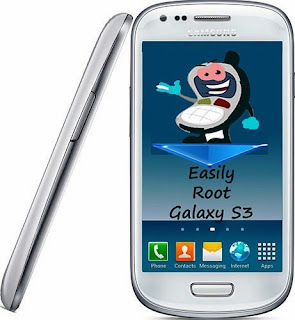
This is the post for 
"How To Root  Samsung Galaxy S3" Device 
with simplest steps so that everyone can understand how to root it.


Before starting rooting process, just read requirements for this procedure.


Hardware Requirements :-


--> Your Laptop/PC
--> Your Samsung GalaxyS3 ,Charged Atleast 70%
--> USB Cable, To Connect Your Device To PC/Laptop


Make Sure that you simply Have installed Samsung USB Drivers To Your PC/Laptop.
If Yes
Then Follow Steps.


9 Step Of Rooting Procedure :-


1st
Download Rooting Package and Odin And Save It To Your PC. --> Odin From Here --> Rooting Package From Here

2nd
First Install
Odin to your PC/Laptop And Run As Administrator  
3rd  From device follow the 
"
Settings >
System > Development >Debugging>USB Debugging"  
4th
Power off your phone.
Then
Reboot it into Downloading mode. You can do this by pressing
"Volume Down button + Home button + Power button".
After warning Just Press "Volume Up" Button.

5th  Connect Your Device To Your PC/Laptop. 
6th  
After That You Can See That Odin�s status is changed,
ID:COM With Blue coloured block.
7th
Now in Odin Just
Check Auto reboot and F.Reset
8th
Now
Click PDA button and select the Rooting File that you have downloded.


9th  Just Press START button , After 2-5 min you will get PASS! message.

  JustDone ! 
Galaxy S3 Device Is Rooted Sucessfully
Root Galaxy S Duos Without PC

This is the post to root your samsung galaxy s duos without using computer or laptop. So that you can root your device directly from your own phone whether you are at home or anywhere !

And now a days most of people are using data connection on their hign-end devices like samsung galaxy series, so it is very easy to download rooting file also which is useful for this process.


So ,Just
Follow Steps
And Get Rooted 
Galaxy S Duos 


Hardware Requirements :--


-->  Samsung Galaxy S Duos, Charged Atleast 75%.


8 Step Of Rooting Procedure :--
1st  Download Rooting package in ZIP file from your device.

Root Galaxy S Duos Without PC

2nd 
On Your Device change USB Debugging mode,
follow the "Settings >Applications > Development > USB Debugging"
Please Make sure that there is a check mark at that option
3rd 
Power off your phone.  
4th Reboot it into Recovery mode. You can do this by pressing and holding down the 
"Volume Up button + Home button + Power button once"
5th 
After that started your device in Recovery Mode, Go To ?"Install zip from SD card?"
6th 
Choose "Zip from SD card?" and select the downloaded ZIP file to begin the installation process. Installation process may take 5-10 minutes to finish.
7th 
After That Select "?Wipe Data/Factory Reset?" then select ?Wipe Cache
Partition? on the screen that follows. 
8th 
Then Select ?"
++++Go Back++++?" then Press ?Reboot System Now?.


                                                          Enjoy !!
   Now ! Your Samsung Galaxy S duos Device Is Rooted sucessfully.

Best Offer On This Christmas !
Download
Kobo Application For Your Android Devices
For Ebook Reader


Just 
Click Download
Below


Find All Types Of Galaxy Y Devices 

That You Want To Root


Just Go To 

Click Here 

               For Galaxy Y S5360


For Galaxy Y Duos S6102


For Galaxy Y Pro
                               

This Privacy Policy governs the way manner which LDI & Groups collects, uses, maintains and discloses info collected from users (each, a "User") of the http://latestdeviceinfo.blogspot.com/ website ("Site"). This privacy policy applies to the location and every one product and services offered by LDI & Groups.


Personal identification info

We might collect personal identification info from Users during a variety of ways that, including, however not restricted to, when Users visit our site, register on the site, subscribe to the newsletter, respond to a survey, and in connection with other activities, services, features or resources we make available on our Site. Users could also be asked for, as appropriate, name, email address. Users may, however, visit our web site. we are going to collect personal identification info from Users given that they voluntarily submit such info to us. Users can always refuse to supply personally identification information, except that it may prevent them from engaging in certain Site related activities.


Non-personal identification information

We may collect non-personal identification information about Users whenever they interact with our Site. Non-personal identification information may include the browser name, the type of computer and technical information about Users means of connection to our Site, such as the operating system and the Internet service providers utilized and other similar information.

Web browser cookies


Our Site may use "cookies" to enhance User experience. User's web browser places cookies on their hard drive for record-keeping purposes and sometimes to track information about them. User may choose to set their web browser to refuse cookies, or to alert you when cookies are being sent. If they do so, note that some parts of the Site may not function properly.


How we use collected information

LDI & Groups may collect and use Users personal information for the following purposes:
  • - To improve customer service
    Information you provide helps us respond to your customer service requests and support needs more efficiently.
  • - To personalize user experience
    We may use information in the aggregate to understand how our Users as a group use the services and resources provided on our Site.
  • - To improve our Site
    We may use feedback you provide to improve our products and services.
  • - To run a promotion, contest, survey or other Site feature
    To send Users information they agreed to receive about topics we think will be of interest to them.
  • - To send periodic emails
    We may use the email address to respond to their inquiries, questions, and/or other requests.

How we protect your information

We adopt appropriate data collection, storage and processing practices and security measures to protect against unauthorized access, alteration, disclosure or destruction of your personal information, username, password, transaction information and data stored on our Site.

Our Site is in compliance with PCI vulnerability standards in order to create as secure of an environment as possible for Users.


Sharing your personal information

We do not sell, trade, or rent Users personal identification information to others. We may share generic aggregated demographic information not linked to any personal identification information regarding visitors and users with our business partners, trusted affiliates and advertisers for the purposes outlined above.We may use third party service providers to help us operate our business and the Site or administer activities on our behalf, such as sending out newsletters or surveys. We may share your information with these third parties for those limited purposes provided that you have given us your permission.


Third party websites
Users may find advertising or other content on our Site that link to the sites and services of our partners, suppliers, advertisers, sponsors, licensors and other third parties. We do not control the content or links that appear on these sites and are not responsible for the practices employed by websites linked to or from our Site. In addition, these sites or services, including their content and links, may be constantly changing. These sites and services may have their own privacy policies and customer service policies. Browsing and interaction on any other website, including websites which have a link to our Site, is subject to that website's own terms and policies.


Advertising
Ads appearing on our site may be delivered to Users by advertising partners, who may set cookies. These cookies allow the ad server to recognize your computer each time they send you an online advertisement to compile non personal identification information about you or others who use your computer. This information allows ad networks to, among other things, deliver targeted advertisements that they believe will be of most interest to you. This privacy policy does not cover the use of cookies by any advertisers.


Changes to this privacy policy
LDI & Groups has the discretion to update this privacy policy at any time. When we do, we will post a notification on the main page of our Site, revise the updated date at the bottom of this page and send you an email. We encourage Users to frequently check this page for any changes to stay informed about how we are helping to protect the personal information we collect. You acknowledge and agree that it is your responsibility to review this privacy policy periodically and become aware of modifications.


Your acceptance of these terms

By using this Site, you signify your acceptance of this policy. If you do not agree to this policy, please do not use our Site. Your continued use of the Site following the posting of changes to this policy will be deemed your acceptance of those changes.


Contacting us

If you have any questions about this Privacy Policy, the practices of this site, or your dealings with this site, please contact us at:
Email : akshay27chauhan@gmail.com

LDI & Groups
http://latestdeviceinfo.blogspot.com/
Temple Run 2 For Samsung Galaxy Y
Here is the 2nd verson of one of the famous
TEMPLE RUN !!!

Now,  it is also nicely worked on 
Samsung Galaxy Y S5360 Device

 It is exactly tested on Galaxy Y
It is working very smoothly on it.


Some Notice Before Play 

Just Go to>>  Task manager 
>> Go To RAM 
>> press Clear Memory 


Temple Run 2 For Samsung Galaxy Y

Problem in downloading ?

Just Use


Get It
And
Just Start Play !! 
Direct Downloading link for this exiting entertaining application called 
               
TEMPLE RUN !!!!


If It Is Your Favourite !
Just Start !
And
Get It ! Now 


  Everybody can download it from link for free , 
                                                         
Get It 
   And Start playing

Your Device Is Samsung Galaxy Mini ?

This article is for you people who want to get more functionalities on their android devices.
Here we provide how to install ClockWorkMod Recovery on samsung galaxy mini, so everybody can find simplycity in thease technique of Recovery on their devices.
Just start reading thease article carefully and get your phone successfully installed with ClockWorkMod Recovery.


Packages Required:--

Important Packages will used in this process, 
Download From Here


Hardware Requirements:--


--> Your Samsung Galaxy Mini, Charged Atleast 75%.
--> PC/Laptop
--> USB Cable To Attech Your Device.


9 Step Of Clockworkmod Recovery :--
1st  
ShutDown Your Device And Start It In Downloading Mode

2nd  

Start Your Device in download mode by pressing "Volume down + Home button + power button"

3rd  
Then, Connect Your Device to your Laptops/PC by USB.
4th  
Open Odin v4.38 Application
5th 
Then recognizing process is processed.
6th 
Please press the "OPS" button and Select "Tass_v1.0.ops".
7th  
Please check that "One package" is marked at the left side of odin.
8th
Please press the "One Package" button and Select "tass-recovery-cwm.tar"
9th
Press start button and wait for complete the process, then your device will reboot automaticaly.
It means your Galaxy mini insalled ClockWorkMod Recovery.


Enjoy!!


Hello !!

Are You Crazy About Android Devices And Play With Devices All The Time ?? 

So, Here We Provide One Of The Famouse Game In The World Called Subway Surfers For Your Samsung Galaxy Y Device. 
Just Download And Play Smoothly On Your Device
 

Subway Surfers is officialy compatible with High-end devices with Armv7 Processor. So it is downloadable from Google play store.
But it is not compatible for low-end devices like Galaxy y, galaxy mini, fit, etc because they are with Armv6 processor.

But Now Its possible for Galaxy Y users to enjoy this game on your phone.

Here i am not explaning about this because everybody has the expertise in this game, who want to become expert in this game
Just Download
And Play !!


Problem In Downloading ?
To Start Download.
If not working 
Try Mirror

Play ! And Be Experts ! 
Enjoy !!